Source Connections
Integration
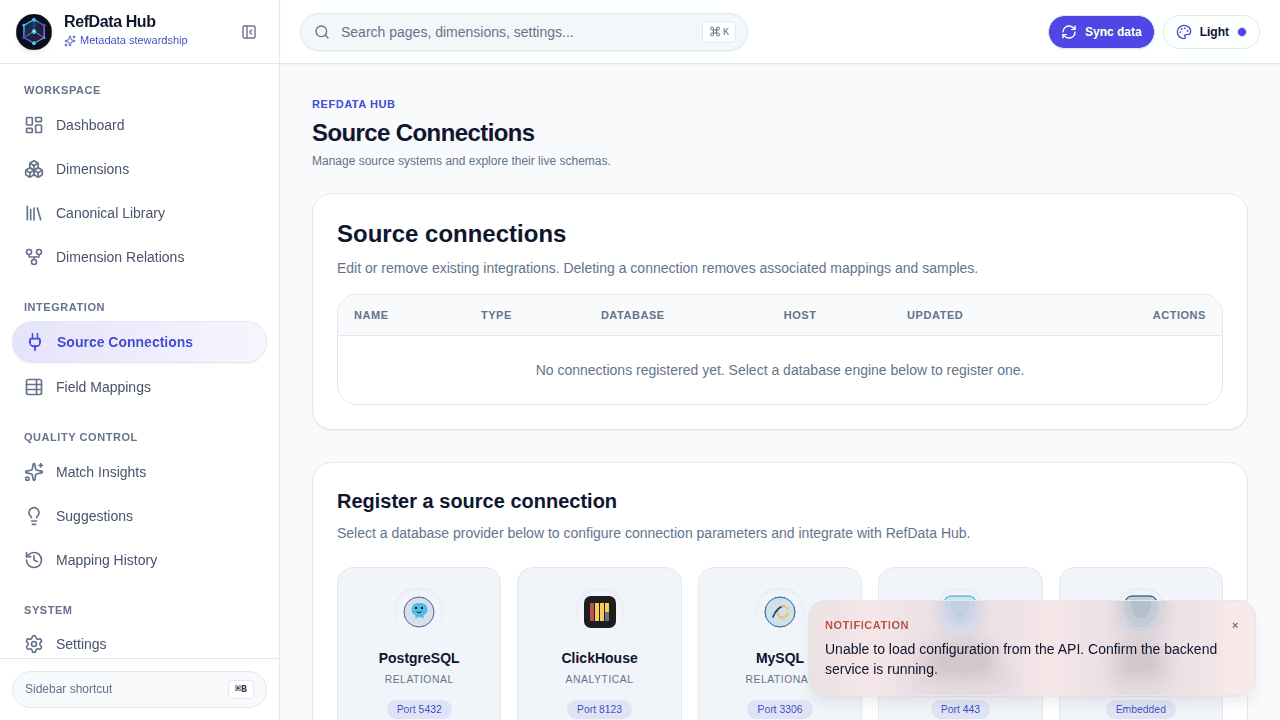
A source connection is a registered upstream database that RefData Hub can introspect. Connections power schema discovery, field mappings, sample capture, and match statistics — everything that requires reaching real data.
The connections workspace deliberately shows the existing connections grid before the registration form, so you can audit current coverage before onboarding another system.
Connection record
{
  "name": "warehouse-prod",
  "db_type": "postgresql",
  "host": "db.internal",
  "port": 5432,
  "database": "analytics",
  "username": "refdata_reader",
  "password": "…",
  "options": "{\"sslmode\": \"require\"}"
}
| Field | Rules |
|---|---|
name |
Unique and indexed — this is how you refer to the connection in the UI |
db_type |
Provider identifier; drives the dialect used for introspection |
host, database, username |
Required |
port |
Optional, defaults to 5432, constrained to 1–65535 |
password |
Optional, minimum length 1. Stored on the connection. |
options |
Optional driver-level options string |
Passwords are stored, not referenced
The password lives on the connection record so the API can introspect
schemas and capture samples unattended. It is never returned by
GET /api/source/connections — the read schema omits it — but it is
persisted in the sourceconnection table. Grant the account read-only
access and scope it to the catalog you actually need.
Testing before you save
Two endpoints let you verify credentials without persisting anything:
| Method | Endpoint | Use |
|---|---|---|
POST |
/api/source/connections/test |
Test credentials you have not saved yet |
POST |
/api/source/connections/{id}/test |
Test a saved connection, optionally with overrides |
curl -X POST http://localhost:8000/api/source/connections/test \
  -H 'Content-Type: application/json' \
  -d '{
        "db_type": "postgresql",
        "host": "localhost",
        "port": 5433,
        "database": "targetdb",
        "username": "target",
        "password": "target"
      }'
Both return SourceConnectionTestResult:
POST /api/source/connections/{id}/test accepts any of the update fields as
overrides, so you can rotate a password and verify it before committing the
change to the stored record.
Schema explorer
Once connected, the API introspects the live catalog:
| Method | Endpoint | Returns |
|---|---|---|
GET |
/api/source/connections/{id}/tables |
SourceTableMetadata[] — name, type (table or view), optional schema |
GET |
/api/source/connections/{id}/tables/{table}/fields |
SourceFieldMetadata[] — name, data_type, nullable, default |
The fields endpoint accepts an optional schema query parameter, which
matters whenever the source has more than one schema in play:
The field serializer exposes schema under that name even though the Python
attribute is schema_ — schema is a reserved word in several dialects, so
the trailing underscore avoids collisions.
Connection detail workspace
The detail page for a connection aggregates what you need to review ingestion quality in one place:
- Three summary cards — database type, catalog, credentials
- The discovered table list with each table's fields
- Per-field
FieldMatchStats, including top matched and top unmatched values - Captured sample values
Sample previews collapse duplicate raw values captured during multiple ingestion runs, so you always see distinct content with accurate occurrence totals rather than the same string repeated.
Connection CRUD
| Method | Endpoint | Notes |
|---|---|---|
GET |
/api/source/connections |
Password omitted from every record |
GET |
/api/source/connections/{id} |
Single record |
POST |
/api/source/connections |
Returns 201 |
PUT |
/api/source/connections/{id} |
Partial update; send password to rotate |
DELETE |
/api/source/connections/{id} |
Returns 204; cascades to its mappings and samples |
Deleting is not scoped
DELETE on a connection removes its field mappings, samples, and value
mappings. If you only need to stop ingesting, edit the record instead.
The demo warehouse
A seeded targetdb ships with the compose stack — departments, employees,
globally diverse customers, loyalty tiers, addresses, products, orders, and line
items. Register it as a connection to rehearse mappings end to end without any
external dependency:
# From the repo root, after `docker compose up --build`
curl -X POST http://localhost:8000/api/source/connections \
  -H 'Content-Type: application/json' \
  -d '{
        "name": "demo-warehouse",
        "db_type": "postgresql",
        "host": "targetdb",
        "port": 5432,
        "database": "targetdb",
        "username": "target",
        "password": "target"
      }'
Use host targetdb from inside the compose network, or localhost with port
5433 when running the API outside compose.
Next steps
-
:material-table-properties: Field Mappings
Bind the columns you just discovered to canonical dimensions.
-
Match Insights
See how well your existing mappings are performing.